Introduction
The 28th of March 2026, I gave myself the challenge of using Linux for 30 days. I’ve already used Linux before, which is why I felt confident I could make it.
At first, it was only supposed to be a challenge, but as I used it more and more, I became also more and more comfortable, which led to Linux becoming my main operating system.
Why I switched to Linux?
The reason I set myself this challenge is because I felt more and more tired of Windows: Microsoft focusing on integrating AI into the OS instead of actually fixing Windows 11, many quirks in the usage, the OS being bloated, and the quality of life deteriorating with each update.
At the same time, I also saw many people making the change, even friends and family, but also much content on the Internet saying Linux was becoming better with time. The fact that I also tried to use Linux multiple times before also helped me to see it as a possible alternative, instead of this “nerdy thing that requires a lot of code and time”.
My experience installing Linux
The choice of the distribution
When I started this challenge, I wasn’t really hesitating on which distribution I would use. I chose Arch Linux, which might seem a bit controversial at first (lack of stability, hard to install, a headache to use, etc.), but I had many reasons to do so, the main reason being, Arch is the distribution I’m the most used to.
I’ve already installed it multiple times before, and was already used to fixing the few problems I had. I also knew what I required from my main OS, and being used to Arch let me do it without an already existing GUI I needed to replace, a lot of bloat that I needed to remove. I also had existing configuration based on Arch for the software I use, and not having to rewrite most of it made the switch easier.
Drivers
In my last attempts of using Linux, NVIDIA drivers were the most unstable. With this install, I noticed they were much more stable and way easier to install. It was as simple as going to the dedicated page on the wiki, looking at what package was the one for my GPU and installing it. Driver stability problems were part of the things that were holding me back on previous attempts, and I’m glad it became much easier now.
The Window Manager / Desktop Environment
This choice is also considered important, maybe as important as the choice of the distribution itself for many Linux users.
I decided to go with the Hyprland window manager. As I’ve said before, I’ve tried many distributions and felt like desktop environment always got in my way, which is the reason I’ve decided to go with a window manager.
As for the reason I chose Hyprland over another Wayland compositor: it simply is because it’s the one I already had made an entire configuration for the last time I used Arch.
Wayland stability problems
Wayland is known to be less stable and compatible, especially with NVIDIA drivers. Electron apps used to be problematic, for example, Discord used to not show me text when I was typing or to crash when viewing an image, which forced me to use another client that had less problems but still made quality of life overall worse. In my experience, it is now much more stable than before, I can finally use the official Discord client without any problem, screensharing and video calls work perfectly fine.
As of now, I’ve only had problems with a single outdated installer, which I will talk about later.
My experience using Linux
My usage of a computer
I use my computer for many things, but my main usage remains:
- Programming (C++ and writing on this blog, so Markdown)
- Gaming
- A bit of video editing
- Browsing the internet
Therefore, I made my choice of software based on this list.
The programs
The good news is, some of the programs I used on Windows and couldn’t easily replace, such as Davinci Resolve, GIMP or Firefox, were already compatible with Linux. For other programs, such as the Office suit (which I cannot get rid of because my school only uses Microsoft Office), I can just use it on the web or come back to my Windows install if it is that problematic to use on the web.
This idea was my main approach when I started the switch: either the program is already available, or I have to use an alternative and make concessions.
Special case: DaVinci Resolve
I use DaVinci Resolve as my main video editor on Linux and it works great, and more importantly, natively. I only met two problems when trying to install it:
/opt/resolve/bin/resolve: symbol lookup error: /usr/lib/libpango-1.0.so.0: undefined symbol: g_once_init_leave_pointer- The Fairlight Sound Library installer doesn’t work on Wayland
For the first error, it was easy to fix. Only copying and pasting it into google led me to a post by WilsonSmith01 on Reddit which contains the exact fix, which is simply moving a few outdated libraries into a folder so that they don’t get loaded.
As for the second error, it required a bit more of research, but if you come across it, here is the fix:
./Blackmagic_Fairlight_Sound_Library_Linux.run --noexec --keep: This command decompresses the contents of the.runfile.cd Blackmagic_Fairlight_Sound_Library_Linux: To go into the extracted directoryQT_QPA_PLATFORM=xcb ./bin/installer: This forces the installer to run on XCB instead of Wayland, which allows it to run normally.
This was the only hard error to fix when installing software.
My code editor
My code editor is the program I spend the most time in, which is why I wanted something I know how to use and something I already have a configuration for.
I had two options:
- Use JetBrains IDEs, which I was already using on Windows
- Use Neovim
I decided to go with the second option, because I already had a configuration made for it, which was one of my requirements, and I wanted to learn more about using Vim, which I already knew the basics of.
As for my configuration, it is based on NvChad, and can be found on this GitHub repository.
Here is an image of it:
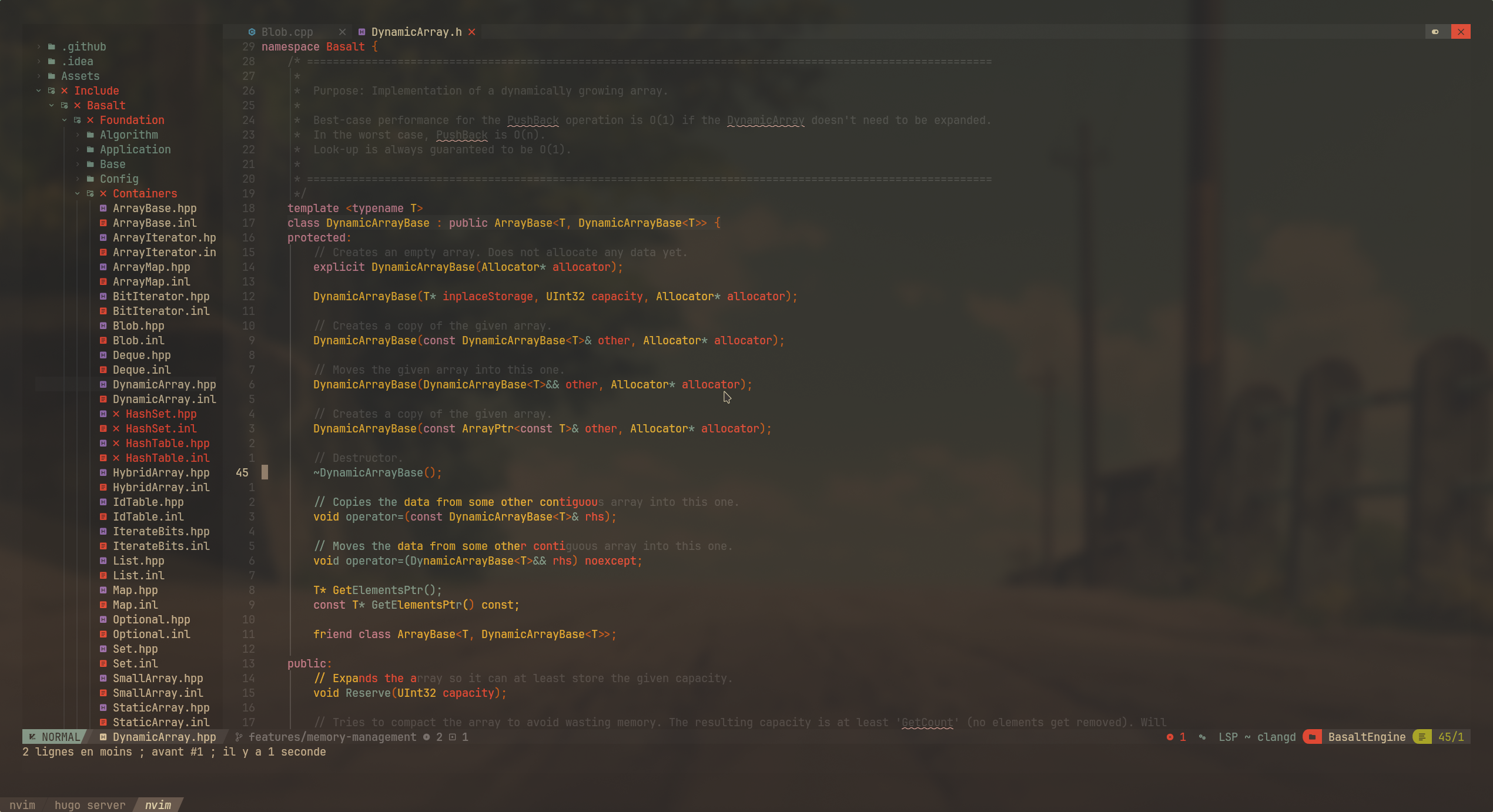
In the end, this worked out great and I’m still using it to write this article.
My terminal & interpreter
I’m using kitty as a terminal emulator, once again because I already have a configuration made for it, which can be found on my GitHub.
For the interpreter, I decided to go with zsh, with only a few plugins:
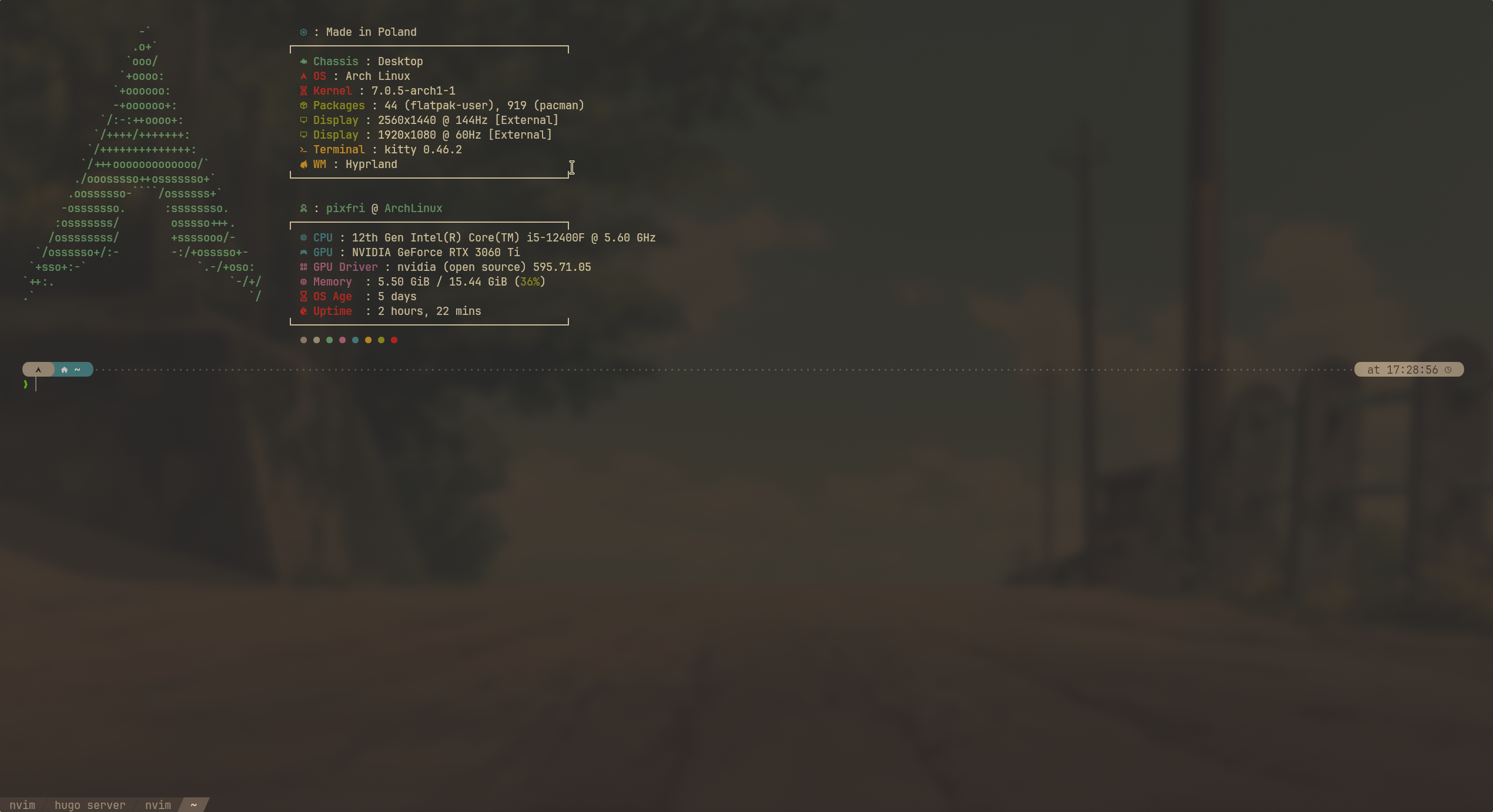
Don’t trust the OS age reported by fastfetch, it’s because I reinstalled Linux on a faster driver after I’ve decided it’s becoming my main OS
Games
As said in the list, one of my main usage for my computer is gaming. Thanks to all the work made by the open-source community, but also thanks to Valve doing a lot of work for Linux gaming, most of my games ran perfectly, either natively or through Proton. The only incompatible games are ones with kernel-level anti-cheats, which I still have a Windows installation for.
Conclusion
Overall, I’d say I’ve had a great experience using Linux for 30 days, which is why I decided to make it my main operating system.
It is way easier to use it compared to only a few years ago, software compatibility is great, even on a distribution considered hard to use.
I would recommend everyone gives it a try, since the switch might be even easier on more user-friendly distributions such as Debian, Linux Mint, CachyOS, etc.
My computer also feels way faster and responsive thanks to Linux’ lower resource usage and I feel like I can do everything I want now.